
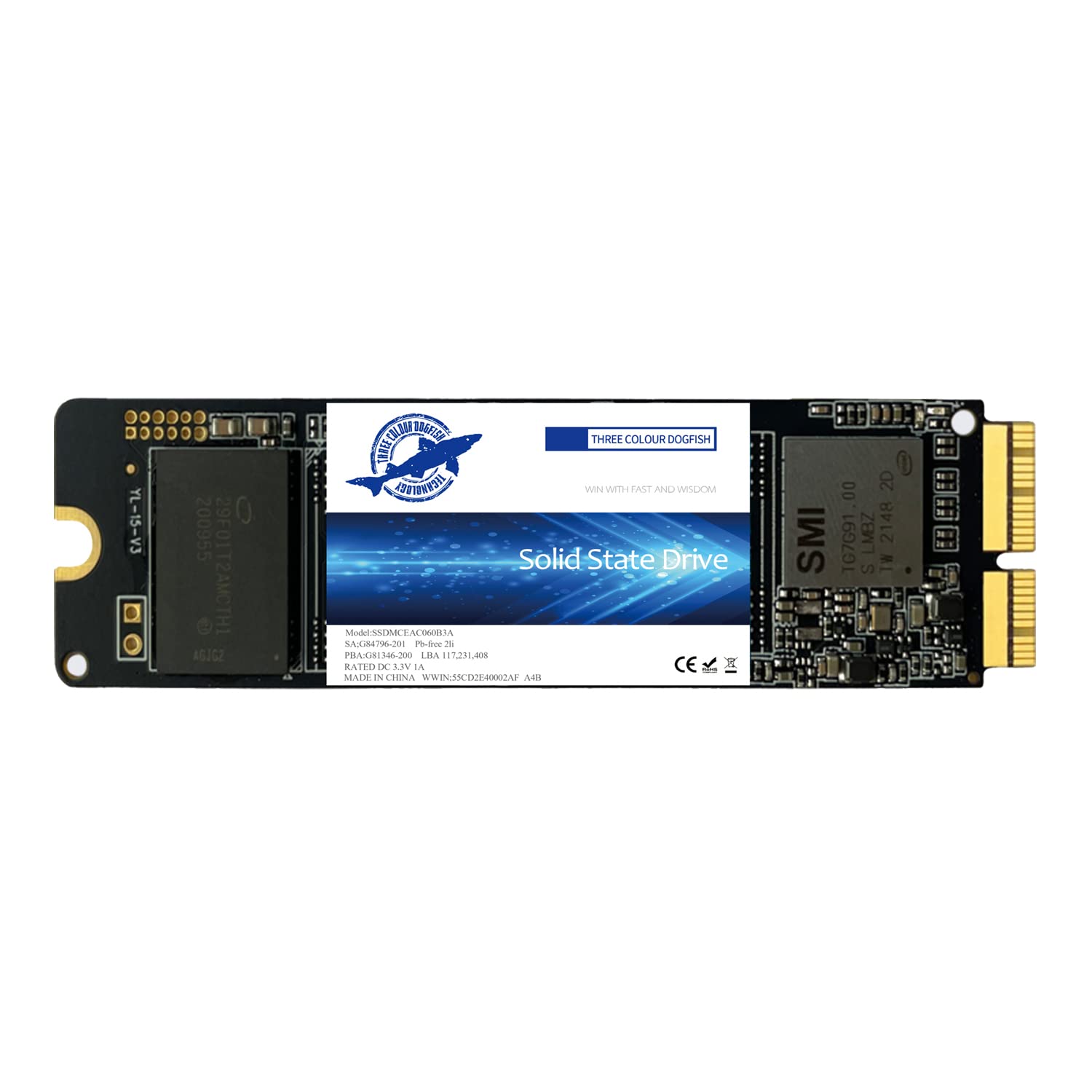
Dogfish 2TB SSD Pro for MacBook Upgrade NVMe PCIe Gen3x4 M.2, Internal Solid State Drive for MacBook Air A1466 A1465(2013-2017)/MacBook Pro A1398 A1502(Retina, 2013-2015)/iMac A1419 A1418
 RP GROUPS


Price: ₹53,800.38
(as of Dec 06, 2025 00:04:52 UTC – Details)
Update your MacBook and more storage limit
If you have an older and annoying Mac with the original drive slow. You can enjoy the benefits of the Dogfish PCIE SSD by upgrading your Mac.
Upgrading with our Mac SSD would be more economical than replacing the system or your laptop. And it is simple to install, no need professional skills.
Our MacBook SSD is faster and more reliable. Based on PCIe Gen3*4, read speed up to 1750MB/s and write speed up to 1550MB/s. This means that programs launch and run faster, files are transferred faster, and you can do data-intensive work without worrying about your computer computing or freezing.
Runs cooler and consumes less power, extend the life of your Mac.
Less prone to shock and vibration damage without moving parts.
Adopt non-volatile storage technology that does not require power to retain data.
Make no noise at all.
M.2 NVMe SSD for MacBook Features
Faster transfer speed
Sequential read speed is up to 1750MB/s and sequential write speed is up to 1550MB/s.
Reliable performance.
Supports TRIM / S.M.A.R.T / Garbage Collection / LDPC ECC, etc., let the NVME SSD has more stable and reliable performance.
WIDE COMPATIBILITY:
Compatible with MacBook Air 2013-2017, MacBook Pro Retina 2013-2015, and iMac 2013-2019.
Features:
Form Factor: M.2
Interface: PCIe 3×4
Flash Type: BGA TLC
Sequential Read Speed: Up to 1750MB/s
Sequential write speed: up to 1550MB/s
TBW (1TB): 608TBW
Working Voltage: DC 3.3V
Operating temperature: 0°C to +70°C.
Storage temperature: -40°C to +85°C.
Humidity: 5% to 95%, non-condensing
S.M.A.R.T: Supported
[Update for your MacBook]: You can replace the SSD to increase the capacity and processing speed to extend the life of your MacBook Air or Macbook Pro, iMac. Perfectly compatible with Mabook Air A1465 / A1466, Macbook Pro (Retina) A1502 / A1398, iMac A1419.
[IMPORTANT NOTE] Before removal, your old original SSD needs to be updated to mac OS 10.13 or higher. If the original SSD was installed with the mac OS 10.12 or earlier, the new SSD will not be recognized after replacement. To reinstall macOS on the replaced SSD, Boot and press “Command+Option+R”. Go into “macOS Utilities” to format SSD then install OS.
[High Speed]: With Dogfish PCIE SSD, greatly upgrade your Macbook, read speed is up to 3500 MB/s, write speed 3000 MB/s (2TB). Faster boot times, faster application loading times and better system responsiveness, provide you a smoother experience in games or daily office.
[Data Safety]: The nvme m.2 ssd run stablely and protect your datas well as the Encryption program. It is a good choice to save your video, pictures, Office data etc. in your computer. PS: Back up your original data, to avoid any failed installation.
[Lifetime Warranty]: We provide lifetime warranty, if there are any problems with the Macbook Pro drive, please contact us freely and we will give you a satisfied solution. PS: Back up your original data, to avoid any failed installation.