
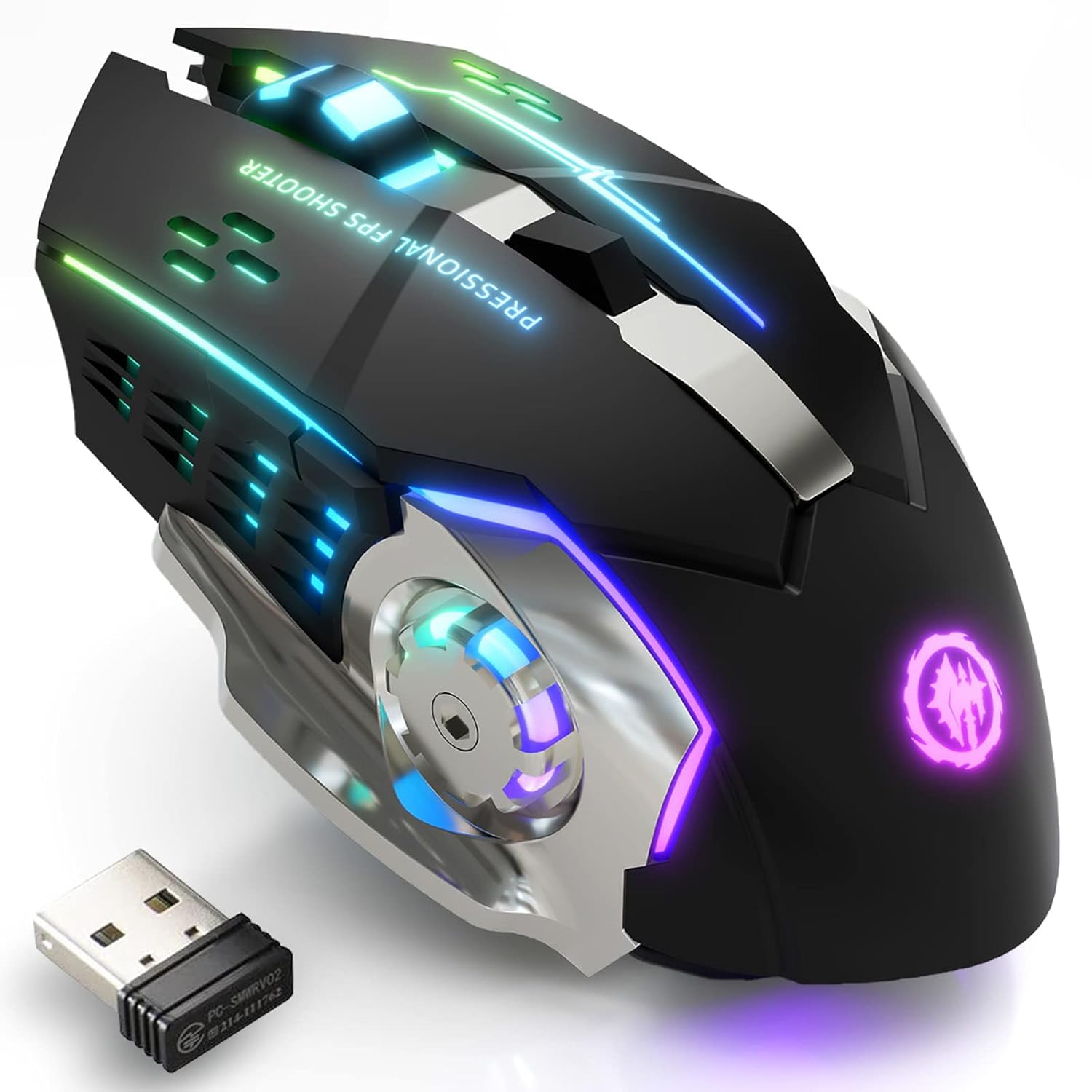
MELOGAGA Wireless Gaming Mouse Bluetooth Mouse RGB Rechargeable 2.4G USB Cordless Computer Mice with 7 Color Backlit, 6 Buttons & Silent Click for Laptop, iPad, Mac OS, PC, Windows -Black | Bluetooth/2.4G Dual Modes, Silent Clicks, 7-Color Backlit, 6 Buttons, Rechargeable Battery for PC, Mac, Laptop, Chromebook
 RP GROUPS


Price: ₹2,044.01
(as of Jul 17, 2026 13:36:57 UTC – Details)
Bluetooth & 2.4GHz Wireless Gaming Mouse
Bluetooth Connection: Support Windows 8/10, Mac OS, iPad, or iPhone Series ( NOTE: It is required to update your system to iPad OS 13/ iOS 13 or Above and Turn on the “Assistive Touch” on the iPad/ iPhone: Setting – Accessibility – Assistive Touch for an iPad usage. )
2.4G wireless: Just plug the USB receiver into your laptop/computer, and the mouse will auto-connect with your device, no additional driver or software is needed.
NOTE:
1. Please charge the mouse with the computer interface for about 2 hours before the first time uses it. Do not use the mobile phone charger or fast charger to charge the mouse.
2. It’s out of power if the mouse cursor moves slowly or stops moving. Please charge it in time.
3. The blue light beside the scroll wheel will be on while charging, and then goes off when the mouse is fully charged.
4. When you do not use it for over 1 minute, the mouse will enter into sleeping mode, you can click the left and right buttons to wake it up.
5. The mouse side buttons are not available for Mac OS as Mac OS does not support it.
Important Usage Instructions: (1) If the mouse responds slowly or works improperly, this might be caused by a low battery and will be solved by charging it. (2) The mouse will enter into sleep mode without operation 10 minutes, please click the left/right button to awake it. (3) Please charge the mouse for 2 hours before the first time to use it. The blue light beside the scroll wheel will be on while charging and then goes off when the mouse is fully charged
Stable Bluetooth/2.4G Wireless Connection: The gaming mouse supports dual-mode connection, and meet your need on different devices. Bluetooth mode: support Windows 8/10, Mac OS, iPad, or iPhone Series (NOTE: It is required to update your system to iPad OS 13/ iOS 13 or Above and Turn on the “Assistive Touch” on the iPad/ iPhone: Setting – Accessibility – Assistive Touch for an iPad usage.) 2.4G Wireless Mode: just plug the USB receiver to your PC, no additional driver or software is needed
RGB 7-Color Breathing Backlit: Designed with an RGB 7-color auto-switching breathing backlight mode, the wireless mouse can offer you a cool visual feast when using it, especially at night. The RGB lights will auto turn off at sleep mode for power saving
Rechargeable Wireless Mouse & Power Saving: Built-in rechargeable battery, easy charging by included USB cable. In addition, the mouse is equipped with advanced smart power-saving technology, the mouse will auto-enter sleep mode after 1 minute of no-operation. Please do not use the mobile phone charger or fast charger to charge the mouse, because it will cut down the battery life
3-Level DPI & 6 Buttons for Games and Work: The wireless mouse features 3 levels of adjustable DPI 1600-1200-800, which meets the needs of work and most games. In addition, 6 buttons including left, right, forward, backward, DPI and scroll wheel help your work more efficiently. Because both left and right buttons with a silent design, you don’t need to worry about bothering others during the session of gaming and working
Ergonomic Design and Compatibility: This wireless gaming mouse features an ergonomic shape that provides comfortable grip during extended gaming sessions and work hours, compatible with multiple operating systems including Windows, Mac OS, and mobile devices with proper system requirements